Posts

Using Storm and SQLite in Multithreaded Web Applications

Pysqlite doesn't allow you to access the same connection from different threads. The pysqlite manual says: "SQLite connections/cursors can only safely be used in the same thread they were created in." When using Storm (the ORM) with Werkzeug (the WSGI utility lib) we suffer from the problem that the Werkzeug reloader runs code in a thread. Ok this feature is not exactly important in a production environment, but I can't guarantee that whatever platform I will be deploying the application on will not be threaded, so database access should be proofed against this. The solution? The Storm manual mentions that you should use a Store/connection per thread. Someone has already done this with the Middlestorm application, which provides a threadsafe store in the WSGI environ. Rightly or wrongly (since I really don't want to have to wait to have a WSGI environ to get the store instance), and I am not exactly sure this kind of thing should be middleware, but that ...
Leopard Spaces Is Unusable

With Leopard, OS X finally has a bundled virtual desktop implementation. Pre-leopard I used a (now unmaintained) 3rd-party app called VirtueDesktops to get this feature, and while not perfect, it worked fairly well. It certainly didn't annoy me. Spaces, on the other hand, does annoy me, to the extent that I find it unusable. Spaces SWITCHES MY DAMN DESKTOP WITHOUT ME ASKING IT TO. When I command-tab between applications, Spaces changes to the desktop with the active window. Now, at first when I encountered this feature, I thought "oh, that's pretty nice," and indeed it would be ok if it worked consistently. It doesn't, though. Usually Spaces switches correctly, but occasionally (say every 5 or 10 application-switches) it switches to the wrong desktop! If you don't believe me, try this out: Open two terminals, and put them on different desktops. Now open a browser on one of these desktops. Command-tab between the browser and the terminal a few times, and see w...

Desktop Widgets with PyGTK, Launchpad Remote Control

Image
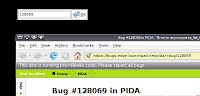
""" Desktop Widgets with PyGTK, Launchpad Remote Control We shall today be looking at a dumb hack I glanced upon while foolishly reading the list of GDK Constants in the PyGTK documentation. This hack sets the type hint of a GTK Window instance (the thing that tells the window manager how to treat it) as a desktop window, and hence embeds the thing in the desktop. It even works quite well: The window and widgets appear in the desktop The widgets are raised when the "Show desktop" command happens The widgets appear on all desktops (in Gnome and XFCE4, but not in KDE) The widgets appear fully functional So I got all excited and tried to think of an awesome use-case as the first plugin for a new kind of desktop widget framework. One which couldn't care less about eye-candy, and focussed on truly functional and useful desktop-based applets. As a friend commented while I was discussing the idea: "I am often hacking away in emacs when I decide that I want to...

You are accessing this page from a forbidden country.

A friend from Iran recently made me aware of something at Google code: http://pida.googlecode.com/files/PIDA-0.5.1.tar.gz You are accessing this page from a forbidden country. It's not for me to judge right from wrong, and of course I am not as clever as the policy makers at Google so I just can't comment. I just want to make people aware of this so that they can make informed decisions about where they host their projects.

Pycon UK

Just a quick note to say that Pycon UK was great fun, and hopefully a great success. A big "thank-you" to the organisers and speakers. The talk I enjoyed the most was about Fluidinfo, mostly because I am a sucker for someone with a real vision. http://fluidinfo.com/ Hopefully, I managed to interest 1 or 2 people in PIDA with a little lightning talk. We'll see. Ali

Using threads in PyGTK

Well, all this thought of asynchronicity is getting to me. But since we mentioned how to use subprocesses and Twisted, I think it is only fair to talk a bit about threads. So, what will we be doing? Create an abstraction for running threads in PyGTK Use it Now the thing which we will be wanting to run is a generator, call it "take_really_long". And it will surely block, and might be a bit intensive, and well we obviously need something asynchronous. A generator is a bit nicer to use than a single plain long-running function, because we can update the user interface every time it returns, making it much much easier to do things like Progress Bars. You must remember two things when using threads with PyGTK: 1. GTK Threads must be initialised with gtk.gdk.threads_init: import gtk gtk.gdk.threads_init() 2. Any code that modifies the UI (basically any code) that is called from outside the main thread must be pushed into the main thread and called asynchronously in the main loop, w...

Spawning subprocess with PyGTK using Twisted

Well, it is an age-old problem: How to schedule long-running tasks withing a GUI main loop (in our case PyGTK). There are a few ways: Use Python's subprocess module and select on the pipe with gobject's io_add_watch Use GTK's built in subprocess spawning abilities Use Twisted 1 & 2 are reasonable approaches, and they both work. Of course 1 won't work on Win32. The only problem with both 1 & 2 is that they use gobject's polling functions to achieve asynchronicity. This is nice when we are forced in a PyGTK main loop, but really not nice when the application wants to run in command line mode, and we really want to be able to share the execution code between different UIs, including perhaps other toolkits. Enter Twisted. We need to do two things with Twisted: Make sure Twisted knows we are running with PyGTK Launch the process Making sure Twisted knows that we are running inside PyGTK is quite easy (though I imagine the implementation was painful). To do this, ...