Posts

Using threads in PyGTK

Well, all this thought of asynchronicity is getting to me. But since we mentioned how to use subprocesses and Twisted, I think it is only fair to talk a bit about threads. So, what will we be doing? Create an abstraction for running threads in PyGTK Use it Now the thing which we will be wanting to run is a generator, call it "take_really_long". And it will surely block, and might be a bit intensive, and well we obviously need something asynchronous. A generator is a bit nicer to use than a single plain long-running function, because we can update the user interface every time it returns, making it much much easier to do things like Progress Bars. You must remember two things when using threads with PyGTK: 1. GTK Threads must be initialised with gtk.gdk.threads_init: import gtk gtk.gdk.threads_init() 2. Any code that modifies the UI (basically any code) that is called from outside the main thread must be pushed into the main thread and called asynchronously in the main loop, w...
Spawning subprocess with PyGTK using Twisted

Well, it is an age-old problem: How to schedule long-running tasks withing a GUI main loop (in our case PyGTK). There are a few ways: Use Python's subprocess module and select on the pipe with gobject's io_add_watch Use GTK's built in subprocess spawning abilities Use Twisted 1 & 2 are reasonable approaches, and they both work. Of course 1 won't work on Win32. The only problem with both 1 & 2 is that they use gobject's polling functions to achieve asynchronicity. This is nice when we are forced in a PyGTK main loop, but really not nice when the application wants to run in command line mode, and we really want to be able to share the execution code between different UIs, including perhaps other toolkits. Enter Twisted. We need to do two things with Twisted: Make sure Twisted knows we are running with PyGTK Launch the process Making sure Twisted knows that we are running inside PyGTK is quite easy (though I imagine the implementation was painful). To do this, ...

Side-by-side presentation and video

Image
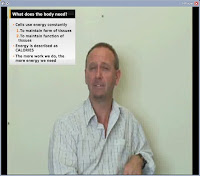
Well, it was a nice idea I believe, to place a video side-by-side with a Powerpoint (or one of it's inferior Open Source clones) presentation. The idea came when my boss showed me Microsoft Producer, which does exactly this (it's nice to have people who at least pay some attention to non-Open Source, especially when he pays you.). Producer is a plugin for Powerpoint, with a simple User Interface, which involves importing a presentation, and a video. Setting the timings for the slides, placing them adjacently in an output it video. It sounds simple enough, and I thought this functionality would be possible in some of the Open Source video editing equipment, but either: I knew for a fact that the software didn't have the capability, or: the software was impossibly difficult to use. So, I had a think, and a play, and another play, and I came up with the plan: Split the presentation into images: 1 slide per file Split the video into frames of png files, and save the sound for ...

Running a WSGI Application inside Twisted

There are a few ways to run a WSGI application, and today I will comment on the Twisted approach. The magic happens from the twisted.web2.wsgi module, and is fortunately simple. The main advantages I can think of when running with Twisted/Twistd is that: All Python solution (if that really is an advantage) Ability to run other twisted services. Did you want RPC, Email, FTP, remote shell etc for free? Twisted authorization framework Since the application in question has a very simple web part, and is predominately a remote GUI application, this seems the perfect solution. First make a tac file, which you will be running with the old favourite: twistd -ny mytac.tac On to some code: # This is my process for creating my WSGI application. You may have other methods. from graelsite.www.application import make_app from graelsite.www import config wsgi_app = make_app(config) # Now on to the real stuff from twisted.application import service, strports from twisted.web2 import server, channel, w...

PyGTK, Py2exe, and Inno setup for single-file Windows installers

I am lucky, as part of my job, I get to code PyGTK. The downside is of course that I have to deploy these applications on Windows. Now these Windows users (especially at the price they are paying for this stuff) don't install dependencies, don't understand what a scripting language or interpreter is, and frankly they should not have to. Unfortunately, the list of dependencies for a PyGTK application (at the very minimum) is Python, GTK, PyGTK, PyGObject, PyCairo. 5 installers! So very early on in this project I found the way to give them exactly what they want and deserve, a single-file executable installer. There are a few guides online about how to achieve this, but none seem to work, and none are particularly new. How do we achieve this? The toolchain involved consists of two elements: 1. Py2exe website 2. Inno Setup website NOTE: The documentation for all the tools used is extensive, I will not repeat everything in there. Py2exe Py2exe is a distutils extension that searches...

Latest PIDA Release - Explicit is better than implicit

Well, congratulations to all the developers, we have just released PIDA 0.5. This release is probably the most significant in that we are finally happy with the core architecture. Although not everyone was agreed on how to do it, I was quite strict and employed this famous rule of thumb: Explicit is better than implicit And honestly, it really is. Previous versions of PIDA were dogged by overuse of magic and abuse of the declarative class syntax (and the associated metaclass madness). This caused one major problem. Things that should have been happening at runtime were happening at class declaration time. Which is fine if you can get your brain around it, but really evil when you want to reverse these things. As an example, PIDA services (and a service is like a plugin) can basically do anything to the application (a bit like the Eclipse plugin architecture - but we think better!). One example of this "doing anything" is to define global configuration options. In PIDA 0.4 opt...

Custom PyGTK Widgets in Glade3: Part 2: Custom widget adaptors

In the last post about custom glade widgets, we briefly discussed how to add your PyGTK custom widgets to glade-3 so that they can be used in a user interface designer. In this post, this shall be extended to include how you can create a custom adaptor for a PyGTK widget to define additional behaviour. We shall be using a custom widget as an example, which I have called a "Service View". We plan that this widget has a content section, which is the main part, and also contains a close button at the bottom. We will use this widget as a general dockable view, kind of like a dialog which is a widget rather than a top-level window. This may seem utterly pointless, but it should be a useful component in an application that generates many different views in notebooks, like an IDE: Debugger, Terminal, Documentation Browser (etc). These can all share the same basic layout, but just replace the single main part of the widget. First let's write a widget: import gtk class ServiceView...